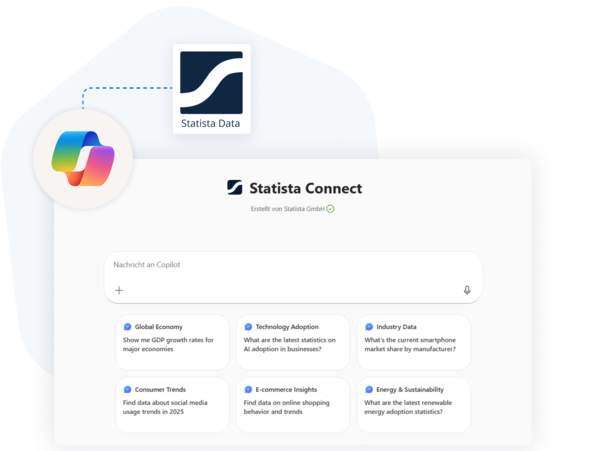
STATISTA FOR MICROSOFT 365 COPILOT

Stop questioning what Copilot just told you


Statista Connect in 365 Copilot brings expert-verified statistics from 50,000+ sources directly into your Microsoft 365 environment. Every stat comes with a citation. No more hallucinations. No more tab-switching.

Request API key  See how it works
 

CHALLENGES

Confident answers, risky data

AI hallucinations

AI assistants often generate plausible-sounding statistics without source. One wrong number in a client pitch can destroy credibility.

Compliance risk

When auditors ask where specific data points come from, citing AI as the sole source will not hold up.

Endless tab-switching

Your analysts spend hours switching between AI assistant, Google, and Statista to verify every data point before using it.
 

The Solution

Trust every Copilot response with expert-backed data

Plug 50,000+ trusted sources directly into Microsoft 365 Copilot. Every response includes the link, title, and preview of the referenced statistic—so you can check the source, dig deeper, or use it again later.

  • Expert-verified data: all reviewed by Statista's research team
  • Zero workflow breaks: query and insert directly in your 365 tools
  • Audit-ready outputs: every output is traceable for compliance
     

Request API key

Use Cases

Built for teams that can't afford to be wrong

  • Sales
  • Strategy & research
  • Marketing & content

Sales intelligence in seconds

Your sales team needs market stats for every pitch, proposal, and RFP response. With Statista Connect, they can pull verified data directly into their slides—without leaving PowerPoint.

  • “EV market size in APAC?”, answered with a source in seconds
  • Competitive intelligence with verified industry benchmarks
  • Customer-specific market data for personalized proposals

Strategic clarity on demand

Strategy and research teams need trusted numbers for every decision and board update. Now they can ask Copilot a question and pull sourced, ready-to-share insights straight into 365 documents.

  • “Forecast data for EV market?”, provided with a source in seconds
  • Comprehensive intelligence for “need-it-now” leadership requests
  • Scenario-ready insights for market sizing and trend analysis

Market with confidence

Marketing and content teams live on fresh data for every campaign, deck, and asset. With Statista Connect, they can turn any Copilot prompt into on-brand, data-backed slides, briefs, and copy.

  • “Consumer trends in 2026?”, answered with a source in seconds
  • Audience insights at hand for sharper targeting and messaging
  • Data put into context for validated long-form content

Get started in three steps

Step 2

We will set up a customized Declarative Agent for your organization and send you the pre-configured agent manifest within 1–2 business days.

Step 3

Follow the steps in the manifest to set up and assign access to the Statista Agent in Copilot—your team is now ready to go!

Ready to elevate your Copilot experience?

Connect Statista to your Microsoft account and start making smarter, faster decisions—right inside your favorite apps.
 

Request API key

Frequently asked questions

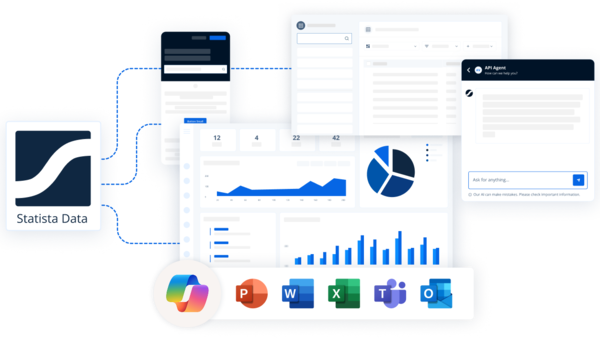
  • The Statista agent is an AI-powered Copilot extension that enables users to search, explore, and analyze Statista's trusted market and consumer data directly within Microsoft 365 applications such as Excel, PowerPoint, and Teams.

    By integrating with Microsoft Copilot, the Statista agent acts as a data companion, allowing users to:

    • Query Statista's database in natural language (e.g., “Show me smartphone market share trends in Europe”)
    • Retrieve charts, statistics, and market insights directly in their workflow
    • Generate data visualizations and summaries for reports or presentations
    • Ensure access control and compliance through secure API/MCP integration within the user’s Microsoft 365 tenant
  • Currently the Statista agent can be accessed via the Copilot app, Word, Excel, PowerPoint, Teams. It is not supported within the Microsoft Researcher tool.

  • You can access Statista's extensive database, including all statistics and charts. The agent is designed to return relevant content depending on your query and subscription entitlements.

  • The LLM on Copilot side determines when Statista data would be helpful for your request. When you ask questions about statistics, market data, or topics that align with Statista's content catalog, the system will search Statista's database to provide you with relevant, authoritative data. 

  • The foundational model layer in the Copilot stack typically uses OpenAI's GPT family, such as GPT‑4 or GPT‑4o Mini, hosted and managed by Microsoft in a secure, enterprise-compliant environment. Microsoft regularly updates the underlying models to improve reasoning, multimodal capabilities (text, images, audio), and performance. These updates roll out gradually and do not affect enterprise security or compliance commitments.

  • Microsoft explicitly states that Copilot and related AI services are built to operate within existing enterprise security frameworks, applying principles like Zero Trust, least privilege, and continuous verification to prevent unauthorised access or privilege escalation.

    Data, Privacy, and Security for Microsoft 365 Copilot

  • The foundational model used in Microsoft Copilot is part of OpenAI's GPT family (such as GPT-4 or GPT-4o Mini), securely hosted and managed by Microsoft within an enterprise-compliant environment.

    The model powers Copilot's natural language understanding and generation capabilities, enabling it to interpret user prompts, retrieve relevant organizational and public information, and generate contextually appropriate responses, summaries, or recommendations within Microsoft 365 applications.

    In essence, the model functions as the AI reasoning and language engine behind Copilot, transforming user intent expressed in natural language into actionable insights or content, while operating entirely within Microsoft's security, compliance, and privacy boundaries.

  • All interactions are handled in compliance with Statista's data privacy and security policies. The agent does not store or share your personal queries beyond what is required to deliver responses and improve product performance.

  • No, Statista does not have any visibility into data within the Microsoft tenant. Statista only has access to the specific parts of a query necessary to retrieve data from Statista's systems, nothing beyond that.

  • Statista receives only the specific information needed to find relevant statistics:

    • Search terms that the AI generates based on your question (not your full original message)
    • Statistic IDs when the system retrieves specific data
    • Technical information required by the connection protocol: API credentials, client software name, and version number

    Your complete conversation and personal information remain private and are not shared with Statista.

  • The communication between Copilot and Statista's MCP server is secured using API key-based authentication and encrypted via HTTPS.

    • Authentication:
      Each request from Copilot to the MCP server includes a unique API key issued by Statista. This key verifies the identity of the calling service and ensures that only authorized clients can access the MCP endpoints.
    • Encryption:
      All data transmitted between Copilot and the MCP server is encrypted in transit using Transport Layer Security (TLS) to prevent eavesdropping, tampering, or man-in-the-middle attacks.