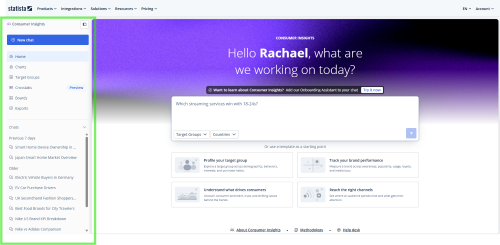
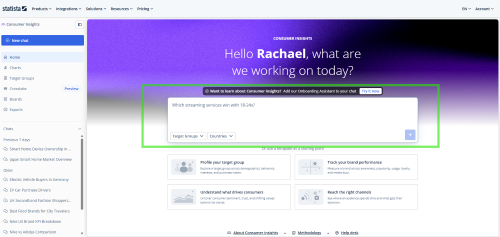
Home is your starting point. From here you can reach every section of Consumer Insights from the sidebar. You can start a new question from the prompt box or return to earlier work.
The sidebar
New Chat: Ask a question in plain language and get a sourced answer built from Statista's consumer survey data. This is where most of the work starts.
Charts: Browse or search the survey data directly. Useful when you want the exact number or want to explore what a survey covers.
Target Groups: Pre-built audience templates to get you started, plus any target groups you've defined and saved. Apply either across your analysis.
Boards: Collect and save charts in one place to build a visual summary of your findings.
Exports: All the files you've generated, ready to download.
Chats: Your history, grouped by date. Select any chat to reopen it exactly where you left off.
Starting a chat
Type your question into the prompt box and select send. Two optional filters let you narrow the results before you send:
Target Groups: Focus your question on a saved audience.
Countries: Select the countries your question covers (you can select up to three).
Templates are available for the most common research tasks. Select one, fill in the details, and Consumer AI returns a structured response for that type of question:
Profile your target group: Understand a specific audience by their demographics, behaviors, interests, and purchasing habits.
Track brand performance: See how a brand is performing with consumers or compare it against competitors.